Pipeline
Your whole pipeline,three ways
See every deal in play on a board, a timeline or a list, over stages you define. The forecast weights each deal by how likely it is to close.
The whole pipeline, at a glance
Every deal by stage, with its brand, creators and value, in board, timeline or list view.
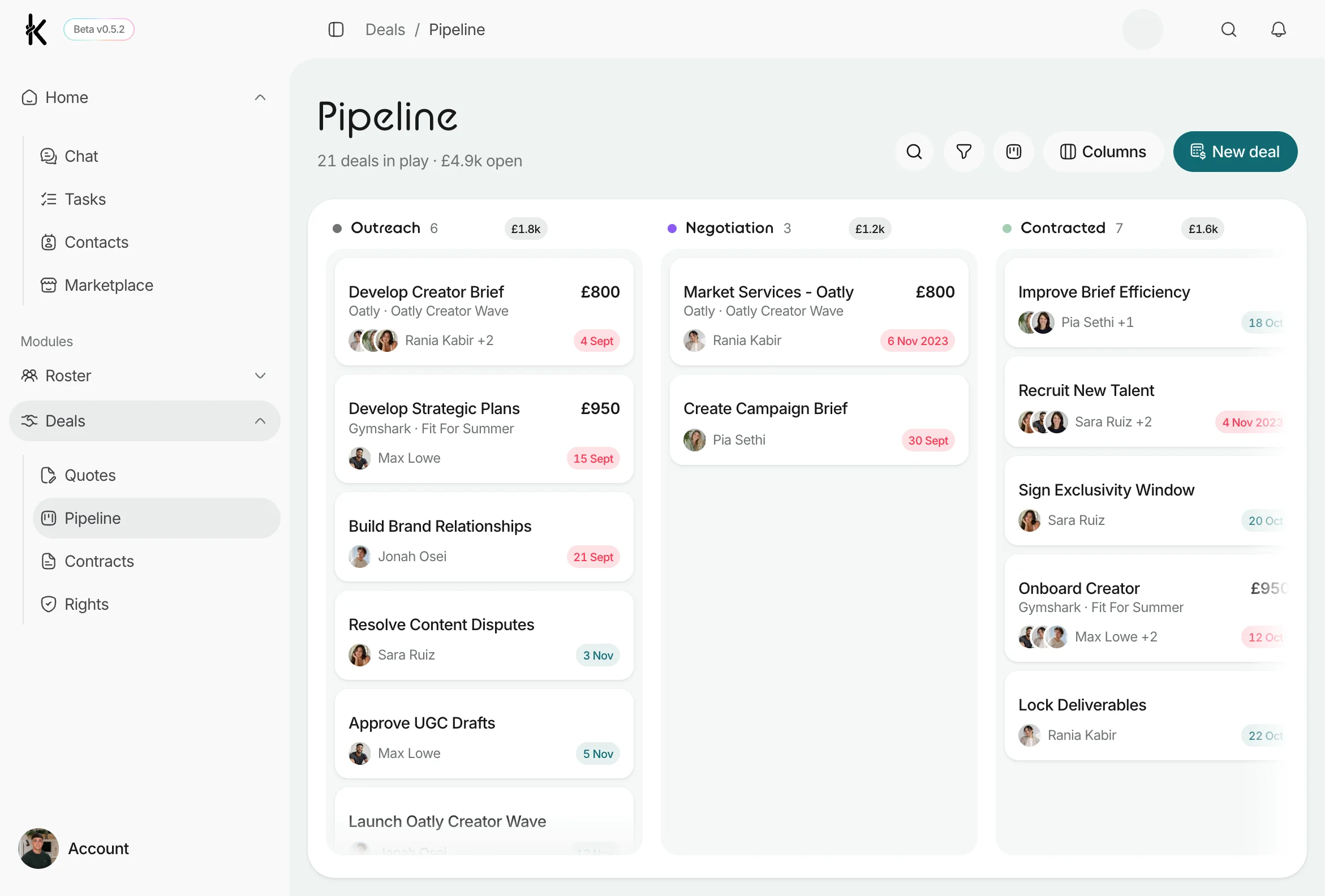
Everything in the pipeline
Move deals, not spreadsheets
Board, timeline or list
Pick the view that suits the job
Switch between a Kanban board, a Gantt timeline and a sortable list. Drag a deal to move its stage, open a quick-view without leaving the board, and deep-link straight to any deal.
- Board, timeline and list views of one pipeline
- Drag-to-move stages, with an instant undo
- Quick-view drawer, deep-linkable per deal
Stages you define
A pipeline shaped like your process
Every org gets its own stages. Rename, reorder and recolour them, mark the ones that mean won or lost, and set a close probability on each so the forecast matches how you actually work.
- Add, rename, reorder and recolour stages
- Terminal won and lost stages, stamped automatically
- A close probability on every stage
Value you can see
Know what the pipeline is worth
A header line shows deals in play and open value at a glance. A probability-weighted forecast totals the pipeline by stage and currency, and you can filter by stage, brand, creator or owner.
- Probability-weighted forecast by stage and currency
- Open value and deals-in-play, always visible
- Filter by stage, brand, creator or owner
Every creator on the deal
Deals that hold more than one creator
A deal carries a primary creator plus everyone else on it, shown as an avatar stack on every card and row. Search matches any creator on the deal, not just the lead.
- Primary plus additional creators on any deal
- Avatar stacks on cards, rows and timelines
- Search matches every creator attached